For Steam Machines, Steam Decks and living-room PCs
Every game you own, ready on the couch.
Loadkit puts Steam, Epic and GOG in one controller-friendly library. It installs what Steam can't, applies fixes before you press play, and tells you how well your machine really runs each game.
- Free for personal use
- No sudo, no curl-into-shell
- Signed + notarized on Mac
- Works offline
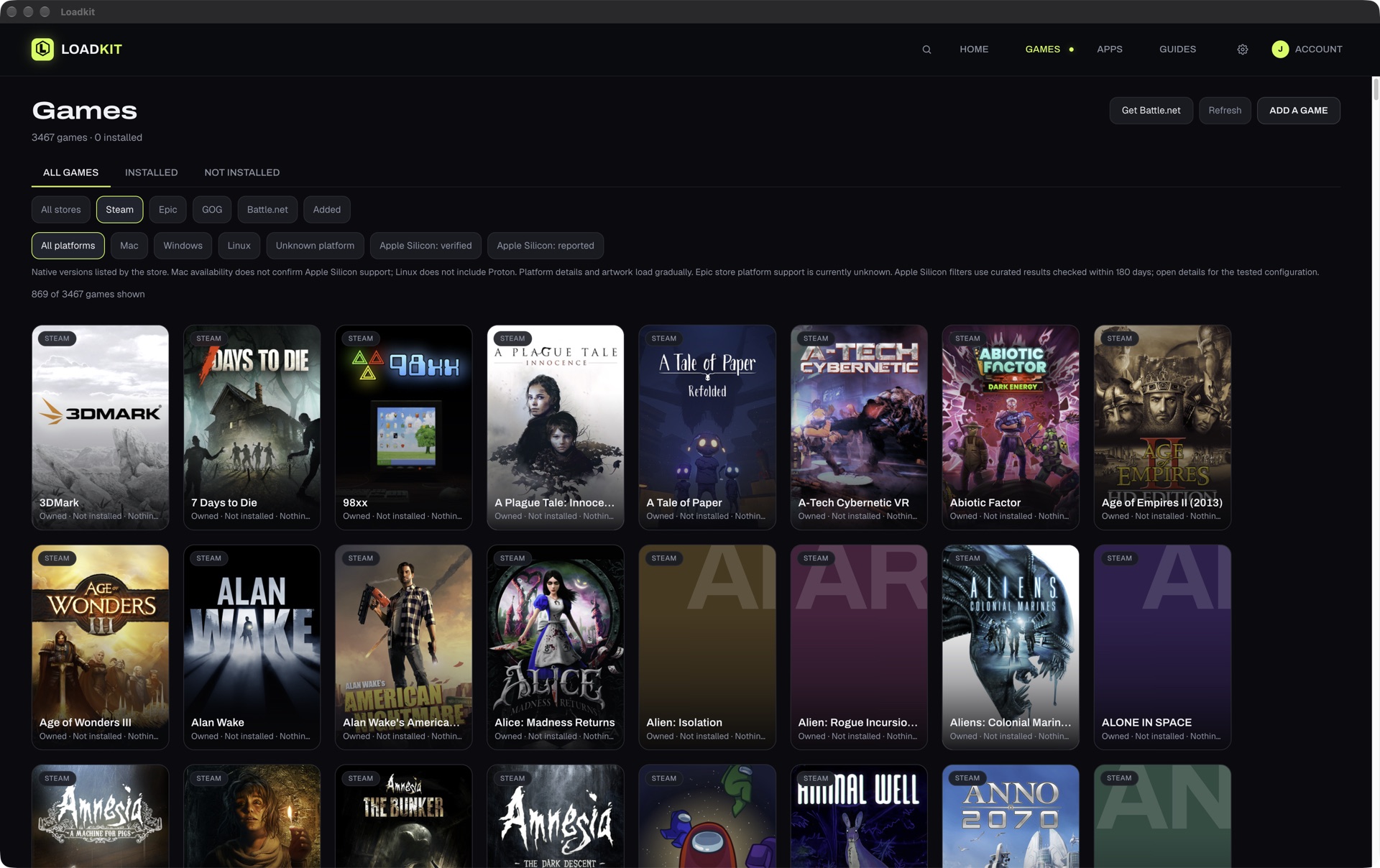
One library
Steam, Epic and GOG. One grid.
Loadkit finds what's on the machine and what you own everywhere else. Epic and GOG games install and run with Loadkit's own runner, so you don't need a second launcher. Already use Heroic? It adopts those installs.
- Library syncs across your Loadkit devices
- Add any other game by pointing at its executable
Fixes that apply themselves
Fixed before you press play.
Loadkit shows exactly which files a fix changes, applies it when you launch, and puts the originals back if you undo it.
- Every fix lists the files it will change first
- Undo restores your originals
Press Play
Know how it really runs.
Pick a game, press Play, and Loadkit runs a repeatable benchmark on your machine. Vsync and frame caps are lifted for the run and restored after. The result is a plain verdict you can trust.
- The same method behind the measured results on CouchRig
- Press Play since Loadkit 0.1.44
Also on the couch
Download Loadkit
Version 0.1.54 · What's newVerify download
Loadkit-x86_64.AppImageSHA-256: 3883196609e2abbc1dcbd5137677c8026c169e800daa8854dc2d76ae8746a706
Verify download
Loadkit-arm64.dmgSHA-256: 015ca7e1e5f9ab8a598552645c3748b5750910815ece388e4735601c1fde737d
Verify download
Loadkit-x64.dmgSHA-256: 7512522e020ceae9e1f76cb1c41aa2e0b85b9f4c02890b817c636d6580547400
- Switch to Desktop Mode and download the AppImage.
- Open it once.
- Add it to Steam as a non-Steam game to launch from Game Mode.
On other distros, make it executable first: chmod +x Loadkit-x86_64.AppImage
Questions
Is Loadkit free?
Free for personal use. Paid for content creators and professional use.
Does it replace Steam?
No. Steam keeps working the way it does. Loadkit adds your other stores, fixes and benchmarks around it. Add Loadkit to Steam as a non-Steam game and it launches from Game Mode.
Will it change my game files?
Only when you apply a fix. Loadkit lists every file it will change first, keeps the originals, and can put them back.
SteamOS or Bazzite?
Both. The AppImage runs on SteamOS, Bazzite and other x86-64 Linux systems. Mac builds are signed and notarized.
What does it send home?
An anonymous daily usage report, plus the result of any fix you apply or undo (which fix and game, the store, the compatibility tool and version, and the type of error if it failed). One switch covers both: turn it off on first launch or in Settings. See the privacy page for details. Privacy
The numbers behind Press Play live on CouchRig.
See them on CouchRig